Businesses today operate in a fast-paced, digitally driven environment. Yet, many organizations still rely on legacy ERP systems or disconnected accounting tools that limit visibility and efficiency. What worked a decade ago often becomes a bottleneck today slowing down operations, restricting growth, and increasing costs.
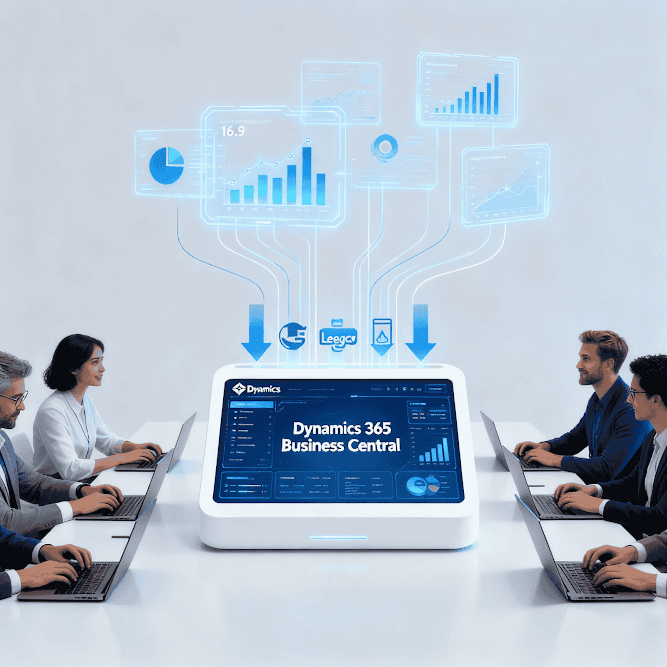
This is why many companies are choosing to upgrade to Dynamics 365 Business Central, Microsoft’s cloud-based ERP designed for small and mid-sized businesses (SMBs). It brings finance, supply chain, sales, inventory, projects, and reporting together in one connected ecosystem.
If you’re unsure whether it’s the right time for an upgrade, here are
10 unmistakable signs it’s time to upgrade to Microsoft Dynamics 365 Business Central
1. You’re juggling multiple systems that don’t integrate
If finance, sales, inventory, and operations run on different platforms, your teams constantly duplicate data and rely heavily on spreadsheets. This fragmentation causes inefficiencies and costly errors.
A Dynamics 365 Business Central upgrade unifies ERP and CRM capabilities, creating a single source of truth across the organization.
2. Financial closing cycles take far too long
Struggling with month-end reconciliation is one of the most common signs you need a new ERP system. Manual journal entries, scattered financial data, and Excel dependency increase closing timelines and risk of inaccuracies.
Microsoft Business Central features automated financial consolidation, bank reconciliation, and approval workflows helping finance teams close the books faster.
3. Reporting depends on Excel instead of real-time dashboards
When leadership doesn’t get accurate insights without manual exports, decision-making slows down.
With native Power BI integration, Business Central benefits include real-time dashboards, AI-powered insights, cash-flow forecasting, and interactive reports available anytime.
4. Inventory mismatches are affecting sales and cash flow
If your business frequently deals with stockouts, overstocking, or warehouse-to-sales mismatches, it’s a major operational risk.
Microsoft Dynamics 365 Business Central provides complete visibility into inventory levels, demand planning, purchase cycles, warehouse management, and order fulfillment boosting customer satisfaction and cash flow.
5. Your current ERP can’t support remote or multi-location work
Traditional on-premise systems depend on VPNs and office-only access, which is not ideal for distributed teams.
A cloud ERP for SMBs like Business Central provides secure access from anywhere web, mobile, or tablet ensuring real-time collaboration across departments and locations.
6. Upgrades and maintenance are getting too expensive
Legacy platforms require constant IT support, paid server upgrades, and manual version updates turning ERP into a cost burden instead of a growth driver.
With Business Central migration, companies save on infrastructure and maintenance while benefiting from automatic updates and subscription-based pricing.
7. Customer service is suffering due to lack of visibility
When support teams lack access to real-time customer data orders, invoices, deliveries, payment status customer satisfaction drops.
A Dynamics 365 Business Central upgrade gives customer-facing teams instant access to end-to-end customer information, enabling faster and more accurate responses.
8. Your organization is growing but your ERP can’t scale
Expansion should be positive, not stressful. But legacy systems often struggle when businesses add new products, warehouses, users, or subsidiaries.
Business Central benefits include multi-currency, multi-language, multi-entity, and multi-warehouse support, making it ideal for growing organizations.
9. Security and compliance concerns are rising
Legacy on-premise systems lack modern threat protection and compliance features. This increases vulnerability to cyberattacks and audit risks.
Microsoft Dynamics 365 Business Central offers enterprise-grade security, role-based access control, encryption, MFA, and automated compliance helping companies avoid risks and penalties.
10. Your teams want automation but your ERP feels outdated
If employees are still handling approval routing, reminders, invoicing, purchase requests, and reporting manually, productivity is silently draining.
Business Central offers workflow automation, AI recommendations, and Power Automate integration, reducing manual effort across every department.
Upgrade to Dynamics 365 Business Central
Organizations that migrate from legacy systems to Business Central typically experience:
✔ Faster month-end and year-end financial closing
✔ Reduced IT and infrastructure costs
✔ Higher operational efficiency with automation
✔ Real-time reporting and improved forecasting
✔ Accurate inventory & supply chain control
✔ Better scalability to support business expansion
In short, Business Central migration is not just a technology upgrade it’s a strategic transformation that improves performance, profitability, and customer experience.
Final Takeaway
If several of the signs above match your current challenges, it might be time to consider a Dynamics 365 Business Central upgrade. Staying on outdated systems doesn’t just slow down operations it affects competitiveness and long-term growth.
The sooner businesses modernize their ERP, the faster they gain agility, efficiency, and ROI.