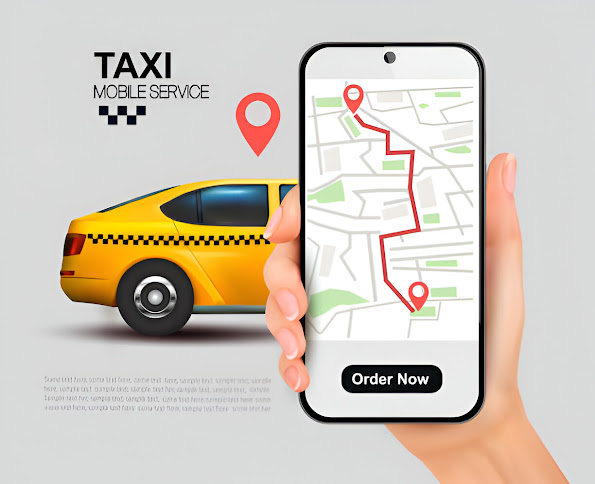
The success of Uber as a ride-hailing service has inspired countless entrepreneurs to explore similar apps tailored to their niches. Whether you want to build an app for ridesharing, food delivery, or on-demand services, Uber’s business model provides a solid foundation.
Creating an app like Uber requires careful planning, technical expertise, and strategic execution. In this blog, we’ll explore how to develop a similar app step-by-step, covering essential features, technologies, and business insights.
Step 1: Understand the Uber Business Model
Before diving into the technical aspects, it’s important to understand how Uber operates. Uber’s business model connects drivers and riders through a platform, facilitating seamless interaction, payment, and feedback.
Key Components of the Business Model
- Two-Sided Marketplace:
- Riders: Individuals who need transportation.
- Drivers: People offering transportation services.
- The app acts as a bridge, matching riders and drivers based on location, availability, and preferences.
- Revenue Streams:
- Commission from rides (usually a percentage of the fare).
- Surge pricing during peak demand.
- Subscription models like Uber Pass.
- Technology:
- Real-time location tracking.
- Automated fare calculation.
- Seamless payments.
Step 2: Define Your Unique Value Proposition (UVP)
Creating an app like Uber doesn’t mean copying its features outright. To stand out, you need to identify a unique value proposition. Ask yourself:
- What problem does my app solve?
- How is my service different from Uber?
- Can I target a niche audience?
For example:
- Focus on eco-friendly rides by including electric or hybrid vehicles.
- Create a ride-sharing app exclusively for senior citizens.
- Develop a service for inter-city or long-distance travel.
Step 3: Key Features of an Uber-like App
To create a successful app, you must include essential features for both riders and drivers. These features can be divided into three parts: Passenger App, Driver App, and Admin Panel.
1. Passenger App Features
- Registration/Login: Easy sign-up through email, phone, or social media.
- Ride Booking: Select pickup and drop-off locations.
- Real-Time Tracking: Track the driver’s location in real-time.
- Fare Estimation: Transparent pricing before booking.
- Payment Integration: Multiple payment options, including credit cards, digital wallets, and cash.
- Ride History: View previous trips, payments, and feedback.
- Rating System: Rate drivers and provide feedback.
- Support System: 24/7 customer support for assistance.
2. Driver App Features
- Registration & Verification: Upload documents for identity and vehicle verification.
- Trip Requests: Accept or decline ride requests.
- Navigation: Built-in GPS for optimized routes.
- Earnings Dashboard: Track daily and weekly earnings.
- Ride History: Access completed trips and payments.
- Driver Rating: View ratings and feedback from riders.
- Availability Toggle: Switch between active and inactive modes.
3. Admin Panel Features
- Dashboard: Overview of app activity, including active users, trips, and revenue.
- User Management: Manage driver and passenger accounts.
- Analytics: Detailed reports on performance, revenue, and usage patterns.
- Surge Pricing Management: Adjust pricing during high-demand periods.
- Dispute Resolution: Handle complaints and issues.
- Promotion Management: Create and track discounts or referral programs.
Step 4: Choose the Right Technology Stack
Building an app like Uber requires a robust technology stack to ensure reliability and scalability. Here’s a breakdown of the recommended tools:
Backend Development
- Programming Languages: Node.js, Python, or Ruby.
- Frameworks: Express.js, Django, or Ruby on Rails.
- Database: PostgreSQL, MongoDB, or MySQL.
- Hosting: AWS, Google Cloud, or Microsoft Azure.
Frontend Development
- Mobile Platforms:
- iOS: Swift or Objective-C.
- Android: Kotlin or Java.
- Cross-Platform Frameworks: Flutter or React Native.
APIs and Tools
- Real-Time Tracking: Google Maps API or Mapbox.
- Payment Gateway: Stripe, PayPal, or Razorpay.
- Push Notifications: Firebase Cloud Messaging (FCM).
- Authentication: OAuth or Firebase Authentication.
Other Technologies
- WebSocket: For real-time communication between users.
- Artificial Intelligence: For route optimization and surge pricing.
- Cloud Storage: For user data and trip history.
Step 5: Design the User Interface (UI) and User Experience (UX)
An intuitive UI/UX is critical for user satisfaction. Both the passenger and driver apps should be simple, visually appealing, and easy to navigate.
Tips for UI/UX Design
- Use minimalistic designs with clear CTAs (Call-To-Actions).
- Ensure the app is responsive and works seamlessly on all devices.
- Use contrasting colors for better visibility.
- Optimize loading times and reduce latency.
- Incorporate feedback loops, such as confirmation screens and notifications.
Step 6: Development Process
Developing an app like Uber requires breaking down the process into manageable steps. Here’s how to proceed:
1. Planning
- Create a detailed roadmap outlining features, timelines, and costs.
- Prepare wireframes and prototypes to visualize the app.
2. Development
- Build the backend architecture first to handle data storage and processing.
- Develop the passenger and driver apps simultaneously, ensuring consistency.
- Integrate third-party APIs for navigation, payments, and notifications.
3. Testing
- Perform rigorous testing to identify bugs and improve performance.
- Test the app in various scenarios, including high-traffic situations.
- Use beta testers to gather feedback before launch.
4. Deployment
- Publish the app on platforms like Google Play and the App Store.
- Ensure compliance with platform guidelines and local regulations.
Step 7: Cost Estimation
The cost of developing an app like Uber depends on several factors, including features, complexity, and location of your development team. Here’s an approximate breakdown:
1. Basic Features: $40,000–$60,000
- User registration, ride booking, and payment integration.
2. Advanced Features: $80,000–$120,000
- Real-time tracking, fare calculation, and analytics.
3. Total Cost by Region:
- North America: $100–$200/hour.
- Europe: $50–$100/hour.
- Asia: $20–$50/hour.
For a minimum viable product (MVP), you might need $50,000–$100,000.
Step 8: Marketing and Launch
Once the app is ready, focus on marketing to attract users and drivers. Consider these strategies:
- Referral Programs: Offer discounts for new users and incentives for referrals.
- Social Media Campaigns: Leverage platforms like Instagram, Twitter, and Facebook to promote your app.
- Local Partnerships: Collaborate with local businesses and events to increase visibility.
- Paid Advertising: Use Google Ads and Facebook Ads to target specific demographics.
Step 9: Post-Launch Support and Scaling
Launching the app is just the beginning. To ensure long-term success, you need continuous support and updates.
1. User Feedback
- Monitor reviews and ratings on app stores.
- Address issues and implement suggested features.
2. Updates
- Release regular updates to add new features and improve performance.
- Stay ahead of competitors by integrating emerging technologies.
3. Scaling
- Expand your services to new cities or regions.
- Introduce additional services, such as bike rentals or food delivery.
Conclusion
Building an app like Uber is a challenging yet rewarding endeavor. By understanding the business model, planning meticulously, and leveraging the right technology, you can create a scalable, user-friendly app that meets your audience’s needs.
While the process requires significant time and investment, the potential for growth and success is immense. Whether you’re targeting a global audience or focusing on a local niche, the key lies in innovation, quality, and customer satisfaction.
So, are you ready to build the next big app? Start today and transform your idea into reality!